

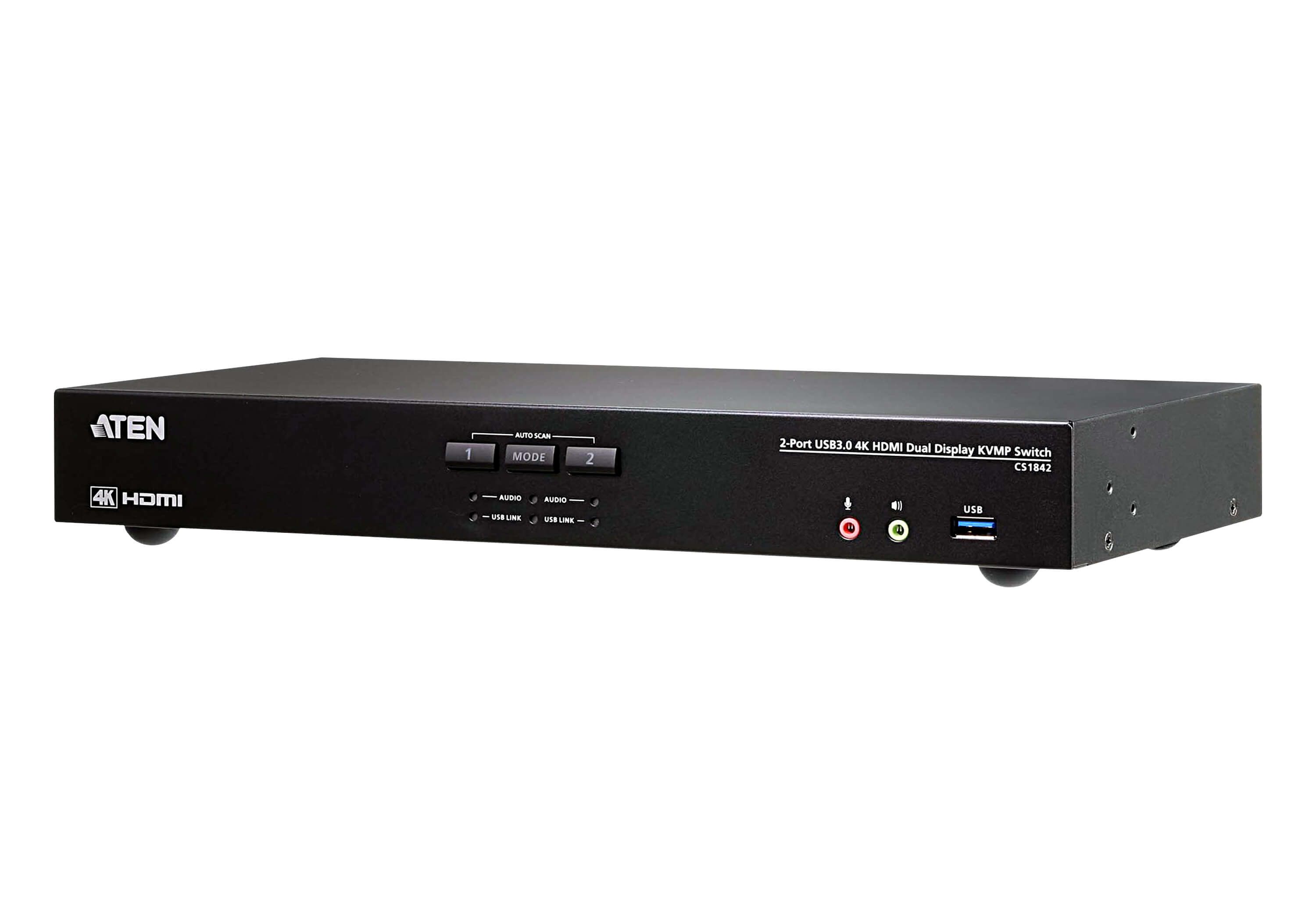
ATEN CS1842 2-Port USB 3.0 4K HDMI Dual Display KVMP Switch
2-Port USB 3.0 4K HDMI Dual Display KVMP™ Switch
Brand: ATEN
SKU: CS1842
$479.88
Price as listed. Shipping charges calculated at checkout.
In stock

Do you have any question about this product or its specs? Want to know more? Click here to contact our pre-sales consultant and make the right purchase.
 NOTE: The information below is provided for your convenience only; the accuracy of the specifications cannot be guaranteed. However, if necessary, please check with us before purchasing. Data provided by 1 World Sync.
General
Keyboard port type
USB
Mouse port type
USB
Video port type
HDMI
HD type
4K Ultra HD
Maximum resolution
4096 x 2160 pixels
Scan interval
1,99 s
Product colour
Black
Rack capacity
1U
Power source
AC
DC input voltage
12 V
Power consumption (typical)
3.17 W
Width
335 mm
Depth
160.5 mm
Height
44 mm
Athens CS1842. Keyboard port type: USB, Mouse port type: USB, Video port type: HDMI. HD type: 4K Ultra HD, Maximum resolution: 4096 x 2160 pixels, Scan interval: 1.99 s. Product colour: Black, Rack capacity: 1U. Power source: AC, DC input voltage: 12 V, Power consumption (typical): 3.17 W. Width: 335 mm, Depth: 160.5 mm, Height: 44 mm
| Estimate Gross Weight | 3.535 |
|---|
https://www.aten.com/global/en/products/kvm/desktop-kvm-switches/cs1842/
The ATEN CS1842 Dual Display KVMP™ Switch presents a valuable solution for desktop workstation with instant and effortless access to two HDMI interface computers from a single USB keyboard, mouse and two HDMI monitors; to meet users’ needs, the CS1842 is compliant with HDMI 2.0 standard and supports superior video quality up to 4K DCI (4096 x 2160 @ 60Hz), offering the most stunning and vivid visuals.
In addition, with patented ATEN technology – Video DynaSync™, the CS1842 provides optimized display resolution and accelerates switching between systems. Considering immediate data sharing, a built-in USB 3.1 Gen 1 hub delivers data transfer rates up to 5 Gbps, allowing you to speed up operations and share USB peripherals efficiently.
For requirements of more displays to monitor, users can daisy-chain two CS1842 for up to four displays to multitask easily and process tremendous information. Besides, a remote port selector is available for quick and streamlined port selection apart from pushbuttons, hotkeys and mouse port switching.
As a feature-rich KVM switch, the CS1842 is especially suitable for users who need to perform multiple tasks smoothly at CGI work, graphic design, video post production, and CAD engineering.
The ATEN CS1842 Dual Display KVMP™ Switch presents a valuable solution for desktop workstation with instant and effortless access to two HDMI interface computers from a single USB keyboard, mouse and two HDMI monitors; to meet users’ needs, the CS1842 is compliant with HDMI 2.0 standard and supports superior video quality up to 4K DCI (4096 x 2160 @ 60Hz), offering the most stunning and vivid visuals.
In addition, with patented ATEN technology – Video DynaSync™, the CS1842 provides optimized display resolution and accelerates switching between systems. Considering immediate data sharing, a built-in USB 3.1 Gen 1 hub delivers data transfer rates up to 5 Gbps, allowing you to speed up operations and share USB peripherals efficiently.
For requirements of more displays to monitor, users can daisy-chain two CS1842 for up to four displays to multitask easily and process tremendous information. Besides, a remote port selector is available for quick and streamlined port selection apart from pushbuttons, hotkeys and mouse port switching.
As a feature-rich KVM switch, the CS1842 is especially suitable for users who need to perform multiple tasks smoothly at CGI work, graphic design, video post production, and CAD engineering.
- One USB keyboard, mouse and two HDMI monitors control two HDMI computers and share two USB peripherals
- Multilingual keyboard mapping – supports English, French, Japanese, and German keyboards
- HDMI 2.0 compliant; HDCP 2.2 compliant
- Supports HD audio3
- Power on detection
- Auto Scan Mode for monitoring all computers
- Firmware upgradable
- Note:
- 1. Mouse port switching is only supported under mouse emulation mode and by USB 3-key wheel mice.
- 2. Slide the DCC switch to the s position to allow the KVM switch to receive RS-232 commands via an RJ-45-to-DB-9 cable. Please refer to the CS1842/CS1844 user manual.
- 3. HD audio through HDMI channel cannot be switched independently.
- Supports Quad Display by connecting two Dual Display KVM switches
- Video DynaSync™ – an exclusive ATEN technology that optimizes display resolution, speeds up switching between systems, and ensures that windows opened on an extended desktop will not revert to their default configurations on the main display when switching between ports
- Supports superior video quality – 4K UHD (3840 x 2160 @ 60Hz) and 4K DCI (4096 x 2160 @ 60Hz)
- Computer selection via pushbuttons, hotkeys, mouse1, remote port selector, and RS-232 commands2
- Built-in 2-port USB 3.1 Gen 1 hub with SuperSpeed 5 Gbps data transfer rates
- Supports console keyboard emulation / bypass feature
- Supports console mouse emulation / bypass feature
- Independent switching of KVM, USB peripheral, and stereo audio focus3
0.0
0 review(s)
Inside NetworkDistri
From our network to yours.
Every day, technology moves through our operation — received, checked, prepared and dispatched to customers. The images below show real equipment handled through our operation, not stock photography.
Real operations
Technology we actually handle
01
Source
Global supply
02
Receive
Goods arrive
03
Prepare
Process & pack
04
Dispatch
On the way





































